
Privacy & data
Request personal data on Airbnb
The user requests a copy of personal data, choosing country, format and reason, sees the request timeline and history, and cancels the request.
Step 1 of 13
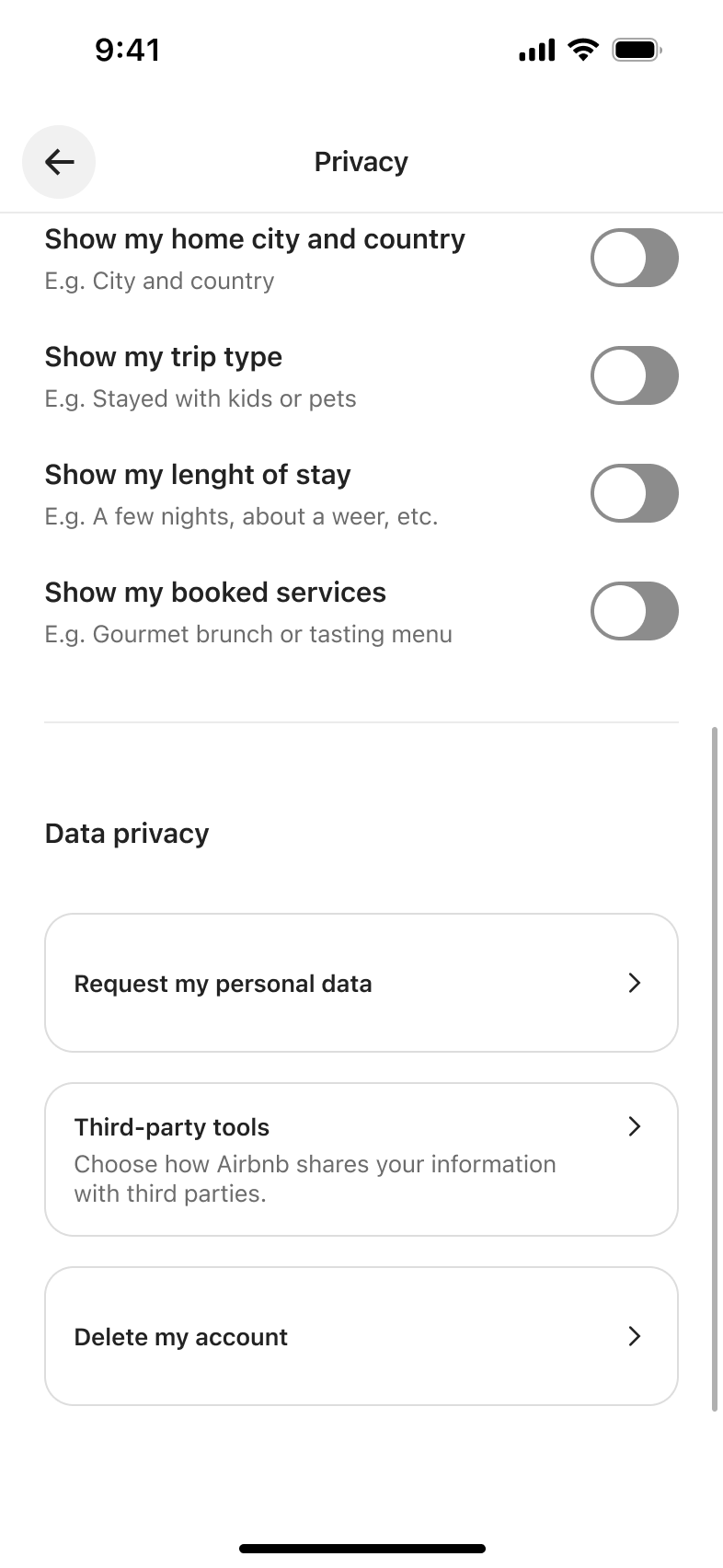
Push
The steps
- Step 1. Push
- Step 2. Tap Request my personal data, Push
- Step 3. Tap country, Sheet
- Step 4. Scroll, In-place change
- Step 5. Select country, Dismiss modal or sheet
- Step 6. Tap format, Sheet
- Step 7. Select format, Dismiss modal or sheet
- Step 8. Tap reason, Sheet
- Step 9. Select reason, Dismiss modal or sheet
- Step 10. Tap Request data, Push
- Step 11. Tap Show data requests, Push
- Step 12. Tap Cancel request, Sheet
- Step 13. Tap Confirm, Dismiss modal or sheet
More from Airbnb
- Sign up with phone on Airbnb
- Log in with email on Airbnb
- Reset password on Airbnb
- Account settings on Airbnb
- Notification settings on Airbnb
- Explore homes on Airbnb
- Save to wishlist on Airbnb
- Search for a stay on Airbnb
- Save from map on Airbnb
- Filter search results on Airbnb
- View listing details on Airbnb
- Explore the listing map on Airbnb
- Read and sort reviews on Airbnb
- Contact host on Airbnb
- Book a listing on Airbnb
- View host profile on Airbnb
- Manage wishlists on Airbnb
- Trips and past trips on Airbnb
- View trip details on Airbnb
- Cancelled trip on Airbnb
- Messages inbox on Airbnb
- Profile and connections on Airbnb
- Verify identity on Airbnb
- View own public profile on Airbnb
- Edit profile on Airbnb
- Change profile photo on Airbnb
- Edit personal info on Airbnb
- Login and security on Airbnb
- Deactivate account on Airbnb
- Privacy settings on Airbnb
- Third-party tools on Airbnb
- Delete account on Airbnb
- Add payment method on Airbnb
- Redeem gift card and coupon on Airbnb
- Set up payouts on Airbnb
- View earnings on Airbnb
- Taxes and documents on Airbnb
- Translation setting on Airbnb
- Add a work email on Airbnb
- Accessibility settings on Airbnb
- Help centre on Airbnb
- Refer a host on Airbnb
- Find a co-host on Airbnb
- Full Airbnb UI kit
- Privacy & data flows in other apps
Not affiliated with, endorsed or sponsored by Airbnb. Airbnb is a trade mark of its owner. Recreated for design reference and education. Rights holders: contact us