
Create
Set up pockets on Revolut
The user starts pockets, picks payments and a payee for committed bills.
Step 1 of 7
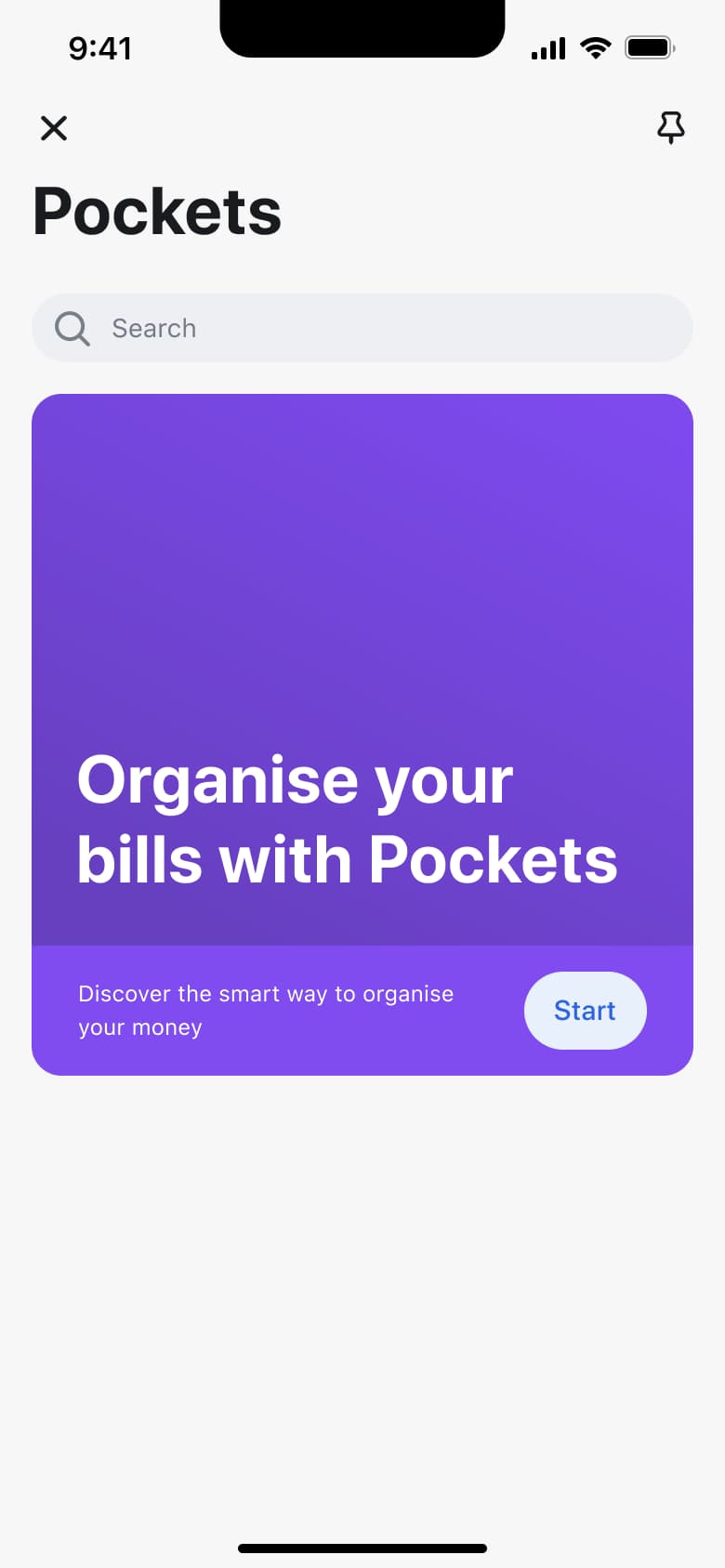
Tap Pockets · Push
The steps
- Step 1. Tap Pockets, Push
- Step 2. Tap Start, Modal
- Step 3. Tap Get started, Push
- Step 4. Tap Create pocket, Modal
- Step 5. Tap Pick now, Push
- Step 6. Tap Schedule transfers, Push
- Step 7. Tap Add a bank recipient, Push
More from Revolut
- Welcome carousel on Revolut
- Sign up on Revolut
- Log in on Revolut
- Verify identity on Revolut
- Personalise and choose a plan on Revolut
- Order a debit card on Revolut
- Home and accounts on Revolut
- Card designs and cards tab on Revolut
- Link external accounts on Revolut
- Inbox on Revolut
- Profile and invite on Revolut
- Account details and statements on Revolut
- Add money on Revolut
- Exchange currency on Revolut
- Account settings on Revolut
- Change app icon and theme on Revolut
- Widgets and converter on Revolut
- Net worth on Revolut
- Search on Revolut
- Create a vault on Revolut
- Start trading stocks on Revolut
- Trading application agreements on Revolut
- View a stock on Revolut
- Create a price alert on Revolut
- Stocks discover and account on Revolut
- Edit profile on Revolut
- Manage a card on Revolut
- Send money to a new bank recipient on Revolut
- Split a bill on Revolut
- Transfer tab and payment chat on Revolut
- Start a new transfer on Revolut
- Share payment code on Revolut
- Hub on Revolut
- On-demand salary on Revolut
- Buy, sell and stake crypto on Revolut
- Crypto asset tabs and alerts on Revolut
- Crypto purchase and staking on Revolut
- Donate to charity on Revolut
- Buy a gift card on Revolut
- Insurance and plan upgrade on Revolut
- Airport lounges on Revolut
- Shops cashback on Revolut
- Find ATMs on Revolut
- Full Revolut UI kit
- Create flows in other apps
Not affiliated with, endorsed or sponsored by Revolut. Revolut is a trade mark of its owner. Recreated for design reference and education. Rights holders: contact us