
Watch video
Watch a how-to video on Headspace
The user opens a how-to session, favourites it, plays the video with controls and options, then sees it completed on Today.
Step 1 of 10
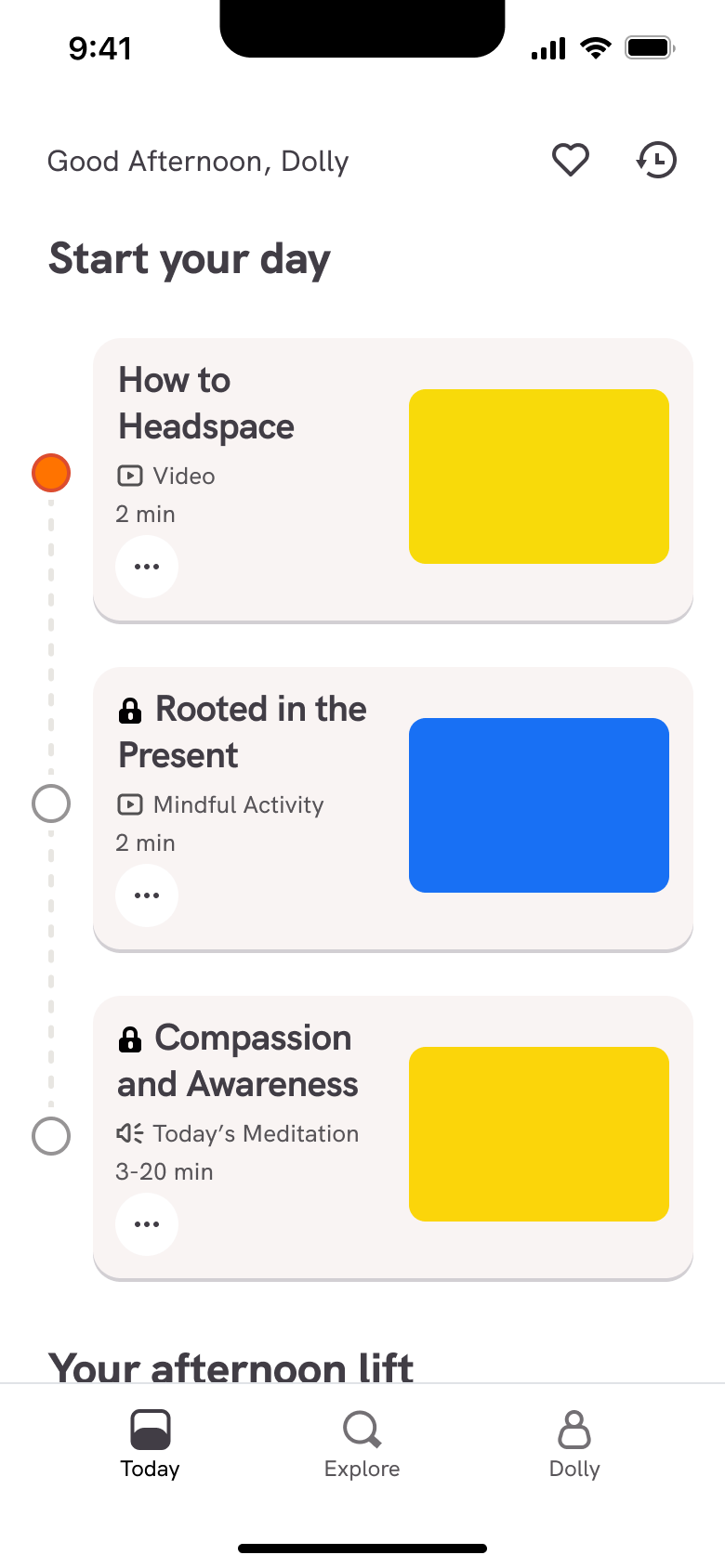
Push
The steps
- Step 1. Push
- Step 2. Tap session, Push
- Step 3. In-place change
- Step 4. Tap heart, In-place change
- Step 5. Tap Play, Modal
- Step 6. In-place change
- Step 7. Tap screen, In-place change
- Step 8. Tap more, In-place change
- Step 9. Close, Dismiss modal or sheet
- Step 10. Tap more, Sheet
More from Headspace
- Sign up on Headspace
- Log in on Headspace
- First breathing exercise on Headspace
- Today on Headspace
- Locked session paywall on Headspace
- Search on Headspace
- Course details on Headspace
- Explore courses and meditate on Headspace
- Stress check-in on Headspace
- Anxiety check-in on Headspace
- Settings on Headspace
- Subscribe on Headspace
- Play a podcast on Headspace
- Full Headspace UI kit
- Watch video flows in other apps
Not affiliated with, endorsed or sponsored by Headspace. Headspace is a trade mark of its owner. Recreated for design reference and education. Rights holders: contact us