
Onboarding personalisation
Complete sign-up details on Wise
The user enters legal name, birth date with a month picker, looks up and confirms their address, picks what to do first and answers tax and currency questions.
Step 1 of 29
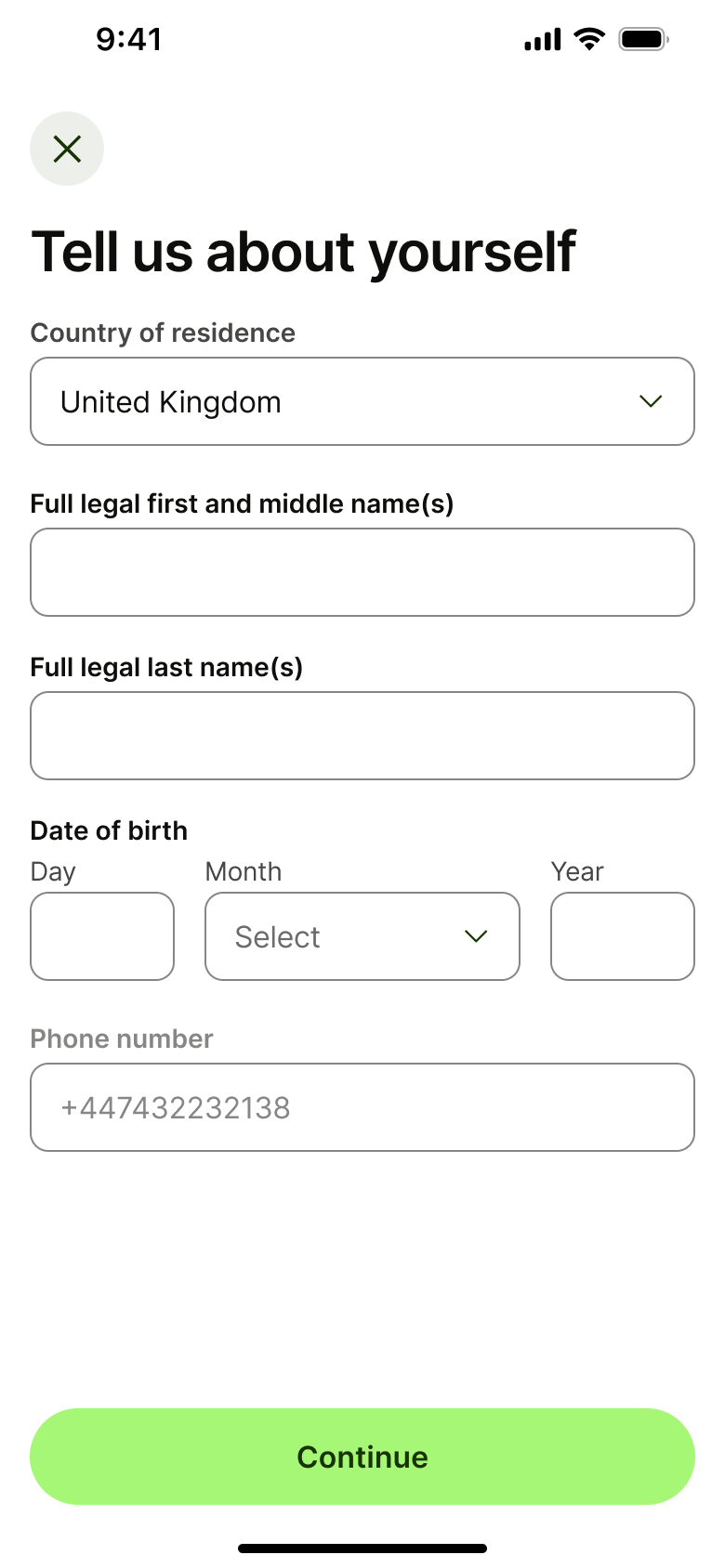
Push
The steps
- Step 1. Push
- Step 2. Tap field, In-place change
- Step 3. Type, In-place change
- Step 4. In-place change
- Step 5. Tap Month, Sheet
- Step 6. Expand, In-place change
- Step 7. Dismiss modal or sheet
- Step 8. In-place change
- Step 9. Tap Continue, Push
- Step 10. Tap search, Push
- Step 11. Type postcode, In-place change
- Step 12. In-place change
- Step 13. In-place change
- Step 14. Select address, Push
- Step 15. In-place change
- Step 16. In-place change
- Step 17. Tap Confirm, Push
- Step 18. Push
- Step 19. Push
- Step 20. Tick answer, In-place change
- Step 21. Tap Continue, Push
- Step 22. Tap Show more, Push
- Step 23. Push
- Step 24. Push
- Step 25. Tap Select, Sheet
- Step 26. Dismiss modal or sheet
- Step 27. Push
- Step 28. Tap select, Sheet
- Step 29. Tap Continue, Push
More from Wise
- Welcome carousel on Wise
- Sign up on Wise
- Explore features on Wise
- Verify identity on Wise
- Security and notification prompts on Wise
- Home on Wise
- Add money by bank transfer on Wise
- Add money with a new card on Wise
- Add money with a saved card on Wise
- Confirm tax ID on Wise
- Balance and account details on Wise
- Euro balance options on Wise
- Search transactions on Wise
- Account settings on Wise
- Share payment tag on Wise
- Settings menu on Wise
- Convert money on Wise
- Open a jar on Wise
- Add a recipient on Wise
- Send money to a business on Wise
- Send via link on Wise
- Unlock the app on Wise
- Transaction details on Wise
- Invite friends on Wise
- Rate a transfer on Wise
- Order a debit card on Wise
- Manage a card on Wise
- Payment tools on Wise
- Spending insights on Wise
- Boost your balance on Wise
- Full Wise UI kit
- Onboarding personalisation flows in other apps
Not affiliated with, endorsed or sponsored by Wise. Wise is a trade mark of its owner. Recreated for design reference and education. Rights holders: contact us