
Settings & preferences
Settings on ChatGPT
The user opens settings, data controls, custom instructions, colour scheme and account links.
Step 1 of 6
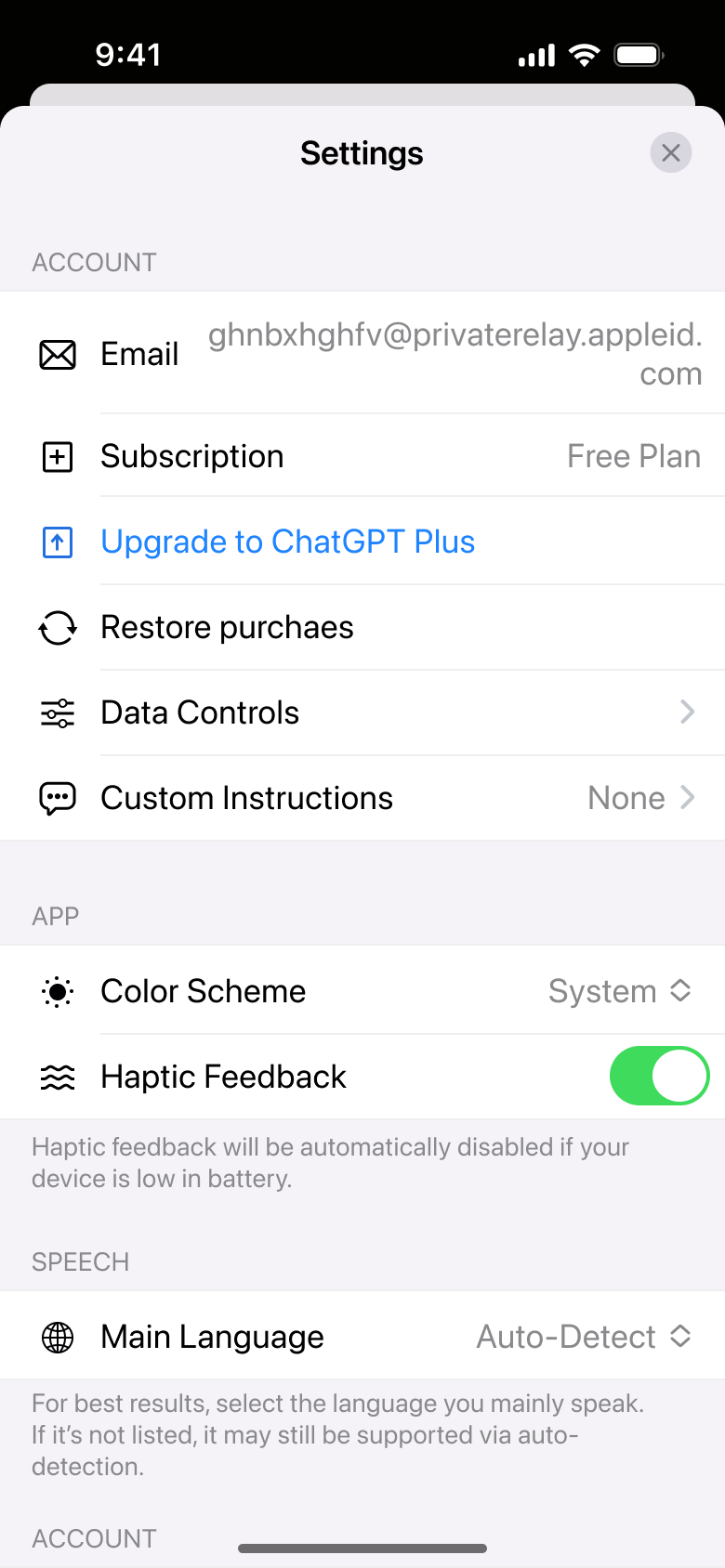
Tap Settings · Modal
The steps
- Step 1. Tap Settings, Modal
- Step 2. Tap Data Controls, Push
- Step 3. Tap Custom Instructions, Push
- Step 4. Tap Continue, Push
- Step 5. Tap Color Scheme, In-place change
- Step 6. Scroll, In-place change
More from ChatGPT
- Sign up with email on ChatGPT
- Log in with Apple on ChatGPT
- Log in with Google on ChatGPT
- Animated welcome on ChatGPT
- Chat on ChatGPT
- Share and rename a chat on ChatGPT
- Upgrade to Plus on ChatGPT
- Generate images on ChatGPT
- Browse the web on ChatGPT
- Chat with images on ChatGPT
- Enable new features on ChatGPT
- Voice conversation on ChatGPT
- Dictate and select text on ChatGPT
- Full ChatGPT UI kit
- Settings & preferences flows in other apps
Not affiliated with, endorsed or sponsored by ChatGPT. ChatGPT is a trade mark of its owner. Recreated for design reference and education. Rights holders: contact us