
Settings & preferences
Settings on Perplexity
The user browses settings with incognito, notifications, language and sign out.
Step 1 of 8
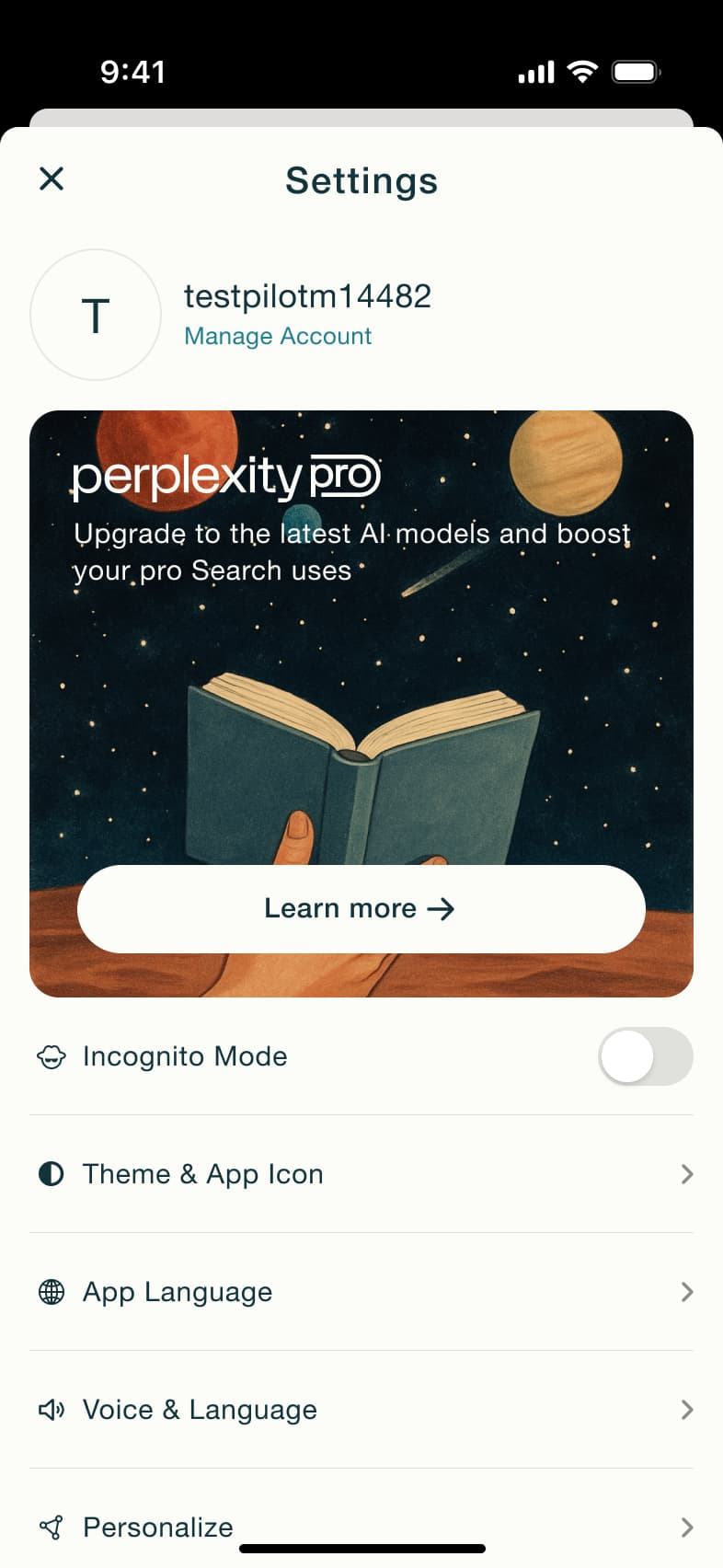
Tap avatar · Modal
The steps
- Step 1. Tap avatar, Modal
- Step 2. Toggle incognito, In-place change
- Step 3. Sheet
- Step 4. Scroll, In-place change
- Step 5. Toggle push, In-place change
- Step 6. Scroll, In-place change
- Step 7. Tap App Language, Alert / dialog over screen
- Step 8. Tap Sign out, Alert / dialog over screen
More from Perplexity
- Signed-out tour on Perplexity
- Log in with email on Perplexity
- Log in with work email on Perplexity
- Subscribe to Pro on Perplexity
- Account and username on Perplexity
- Delete account on Perplexity
- Theme and app icon on Perplexity
- Voice and language on Perplexity
- Sports watchlist on Perplexity
- Finance watchlist on Perplexity
- Set location on Perplexity
- Ask a question on Perplexity
- Research mode on Perplexity
- News and pro search on Perplexity
- Stock answer on Perplexity
- Sports answer on Perplexity
- Read a discover story on Perplexity
- Ask a follow-up on Perplexity
- Rate and rewrite an answer on Perplexity
- Voice search on Perplexity
- Hands-free voice mode on Perplexity
- Create a space on Perplexity
- Space details and sources on Perplexity
- Bookmarks on Perplexity
- Library and thread search on Perplexity
- Full Perplexity UI kit
- Settings & preferences flows in other apps
Not affiliated with, endorsed or sponsored by Perplexity. Perplexity is a trade mark of its owner. Recreated for design reference and education. Rights holders: contact us