
Settings & preferences
Account settings on Shop
The user browses account, messages, wallet and cards, addresses, notifications, passkeys, app settings, support and about.
Step 1 of 15
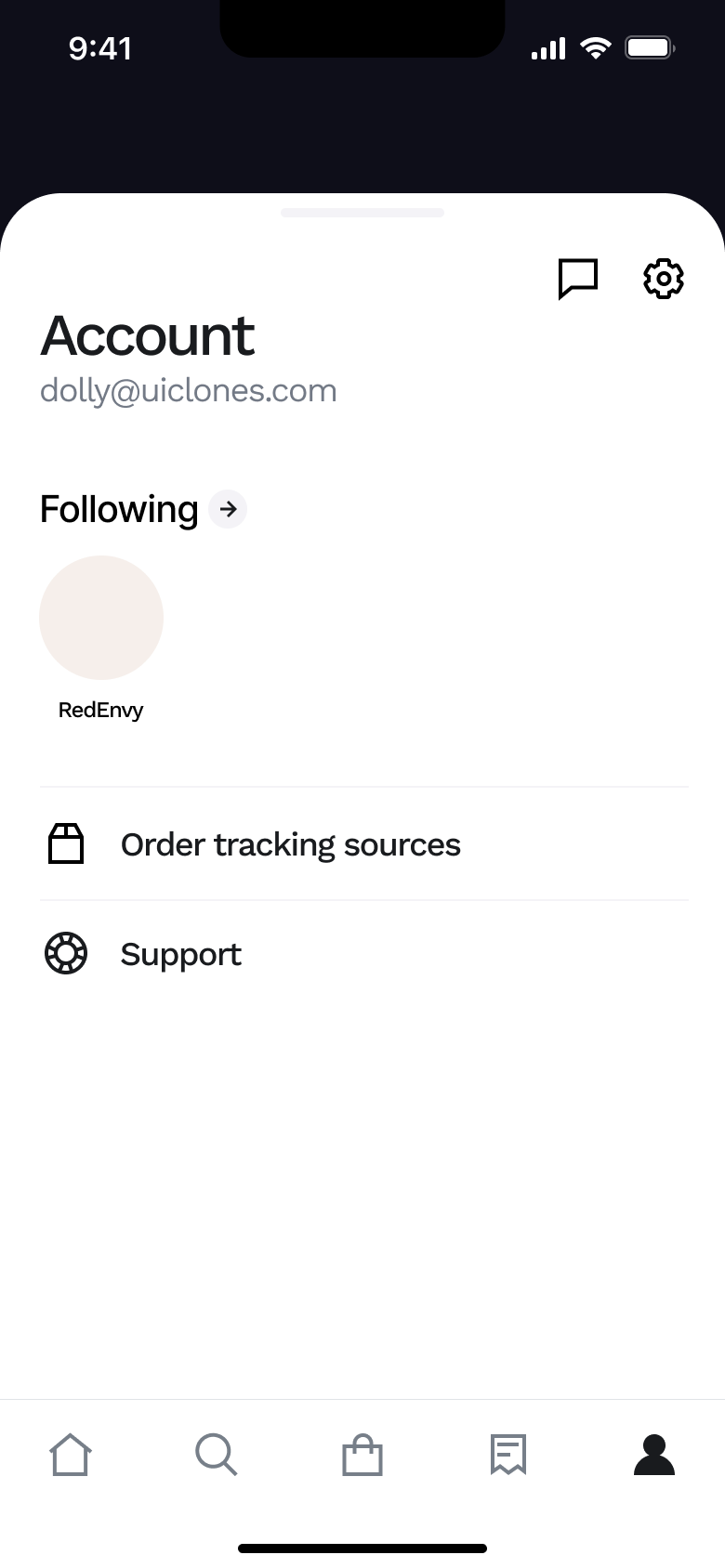
Tap Account · Tab switch
The steps
- Step 1. Tap Account, Tab switch
- Step 2. Tap messages, Push
- Step 3. Tap settings, Push
- Step 4. Tap Wallet, Push
- Step 5. Tap add, Push
- Step 6. Tap card, Push
- Step 7. Tap Shipping addresses, Push
- Step 8. Tap Add new address, Push
- Step 9. Scroll, In-place change
- Step 10. Tap Notifications, Push
- Step 11. Tap Tracking, Push
- Step 12. Tap Passkeys, Push
- Step 13. Tap App Settings, Push
- Step 14. Tap Support, Push
- Step 15. Tap About, Push
More from Shop
- Sign up on Shop
- Home on Shop
- Track an order on Shop
- View a store and product on Shop
- Search and browse categories on Shop
- Filter and sort on Shop
- Add sunglasses to bag on Shop
- Buy now on Shop
- Account and sign out on Shop
- First purchase on Shop
- Review, pay and confirm on Shop
- Browse home and collections on Shop
- Shopping assistant on Shop
- Manage orders on Shop
- Delete account on Shop
- Full Shop UI kit
- Settings & preferences flows in other apps
Not affiliated with, endorsed or sponsored by Shop. Shop is a trade mark of its owner. Recreated for design reference and education. Rights holders: contact us