
Calling
Calls and call links on WhatsApp
The user views calls and missed calls, edits the list, starts a new call, creates and shares a call link and sets up a group call.
Step 1 of 11
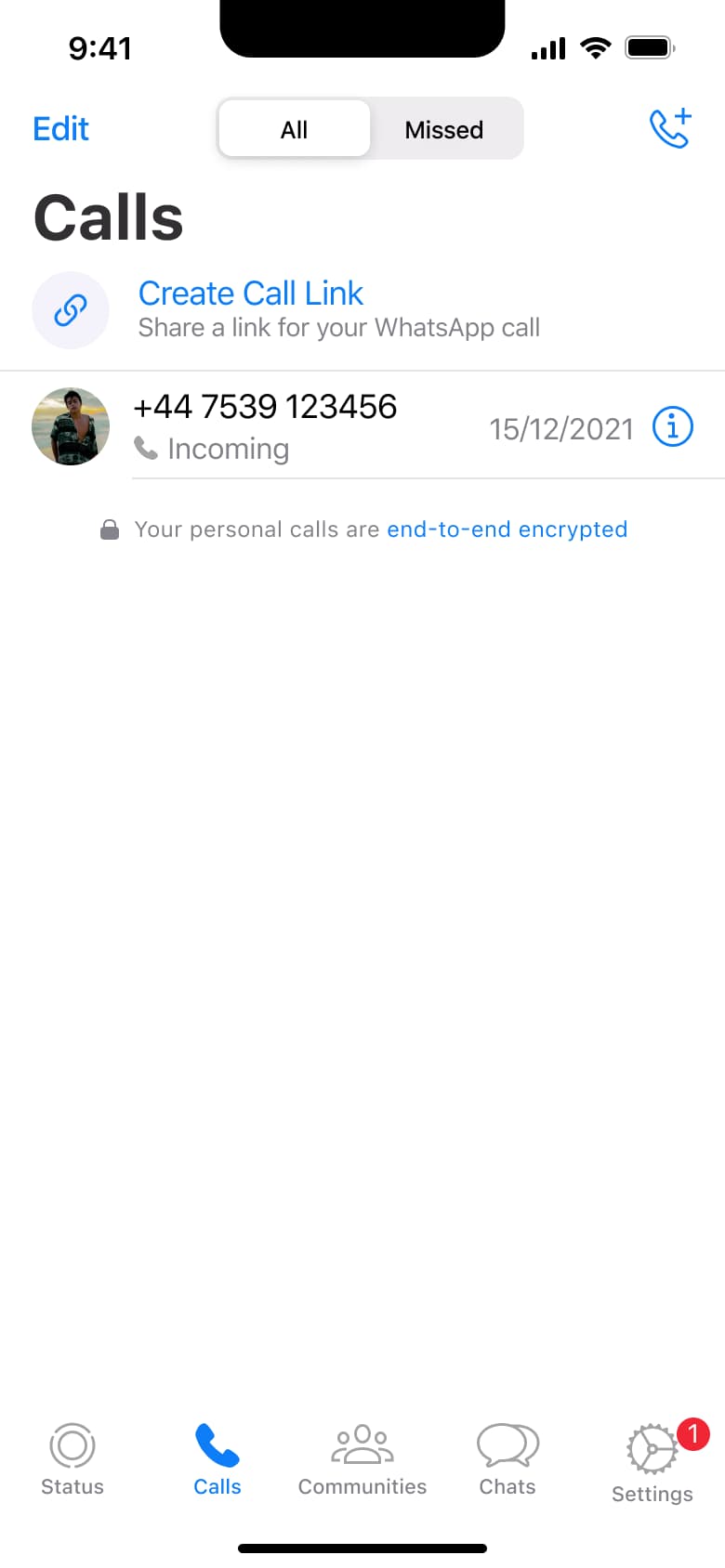
Tap Calls · Tab switch
The steps
- Step 1. Tap Calls, Tab switch
- Step 2. Tap Missed, In-place change
- Step 3. Tap Edit, In-place change
- Step 4. Tap new call, Modal
- Step 5. Tap Create Call Link, Push
- Step 6. In-place change
- Step 7. Tap Call Type, Push
- Step 8. Tap Copy Link, Back
- Step 9. Tap Share Link, Sheet
- Step 10. Tap New Group Call, Push
- Step 11. Select contact, In-place change
More from WhatsApp
- Sign up on WhatsApp
- Status walkthrough on WhatsApp
- Post a status on WhatsApp
- Create a community on WhatsApp
- Start a chat on WhatsApp
- Send messages and media on WhatsApp
- Share attachments on WhatsApp
- Create a poll on WhatsApp
- Video and voice calls on WhatsApp
- Settings on WhatsApp
- Account and privacy on WhatsApp
- Delete account on WhatsApp
- Full WhatsApp UI kit
- Calling flows in other apps
Not affiliated with, endorsed or sponsored by WhatsApp. WhatsApp is a trade mark of its owner. Recreated for design reference and education. Rights holders: contact us